请注意,本文编写于 141 天前,最后修改于 131 天前,其中某些信息可能已经过时。
目录
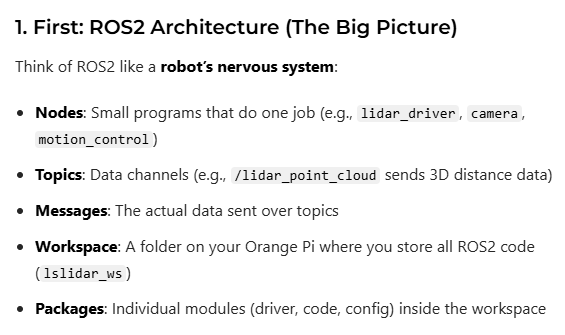
- Key Rules You Must Remember Always work in a workspace (~/xxx_ws/src)
mkdir -p ~/my_robot_ws/src
cd ~/my_robot_ws/src
Always git clone into src/
git clone -b N10_V1.0 https://github.com/Lslidar/Lslidar_ROS2_driver.git
Always colcon build after adding new code
cd ~/my_robot_ws
rosdep install -i --from-path src --rosdistro humble -y
sudo apt install libpcap-dev
colcon build
Always source install/setup.bash in new terminals
source install/setup.bash
First launch the driver → then run your code
ros2 launch lslidar_driver lslidar_n10_launch.py
总结
colcon build
source install/setup.bash
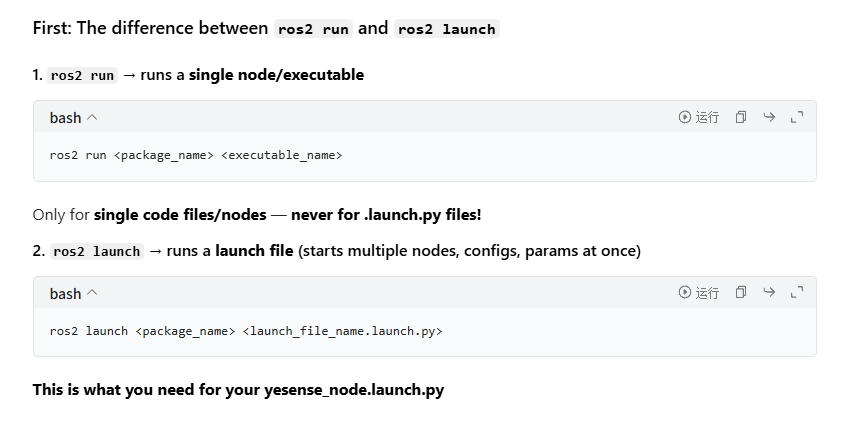
ros2 run/launch my_lidar_listener listener/xxx.py
先build(建立你的代码)后source(将你的代码的环境启动)最后ros2 run(执行你的代码)
例子
cd ~/project
source install/setup.bash
ros2 launch yesense_std_ros2 yesense_node.launch.py # 启动这个launch的
ros2 node list # 测试节点列表
查看包是否被ros2识别
cd ~/project
source install/setup.bash
ros2 pkg list | grep yesense
ros2 pkg list | grep lslidar
ros2 node list 和 ros2 pkg list区别
查看所有话题
ros2 topic list
直连话题
ros2 topic echo /odom
本文作者:Deshill
本文链接:
版权声明:本博客所有文章除特别声明外,均采用 BY-NC-SA 许可协议。转载请注明出处!
目录